Your all in one remote control for OpenCode.
Control your agents from your phone.
Remote for OpenCode connects your iPhone to your Mac computer with a single handshake process, no networking magic required. Take all of your OpenCode projects on the go, no more holding your laptop open in the coffee shop line!
Free and source-available. No servers, no accounts, no telemetry. Requires a Mac and OpenCode.
See it work
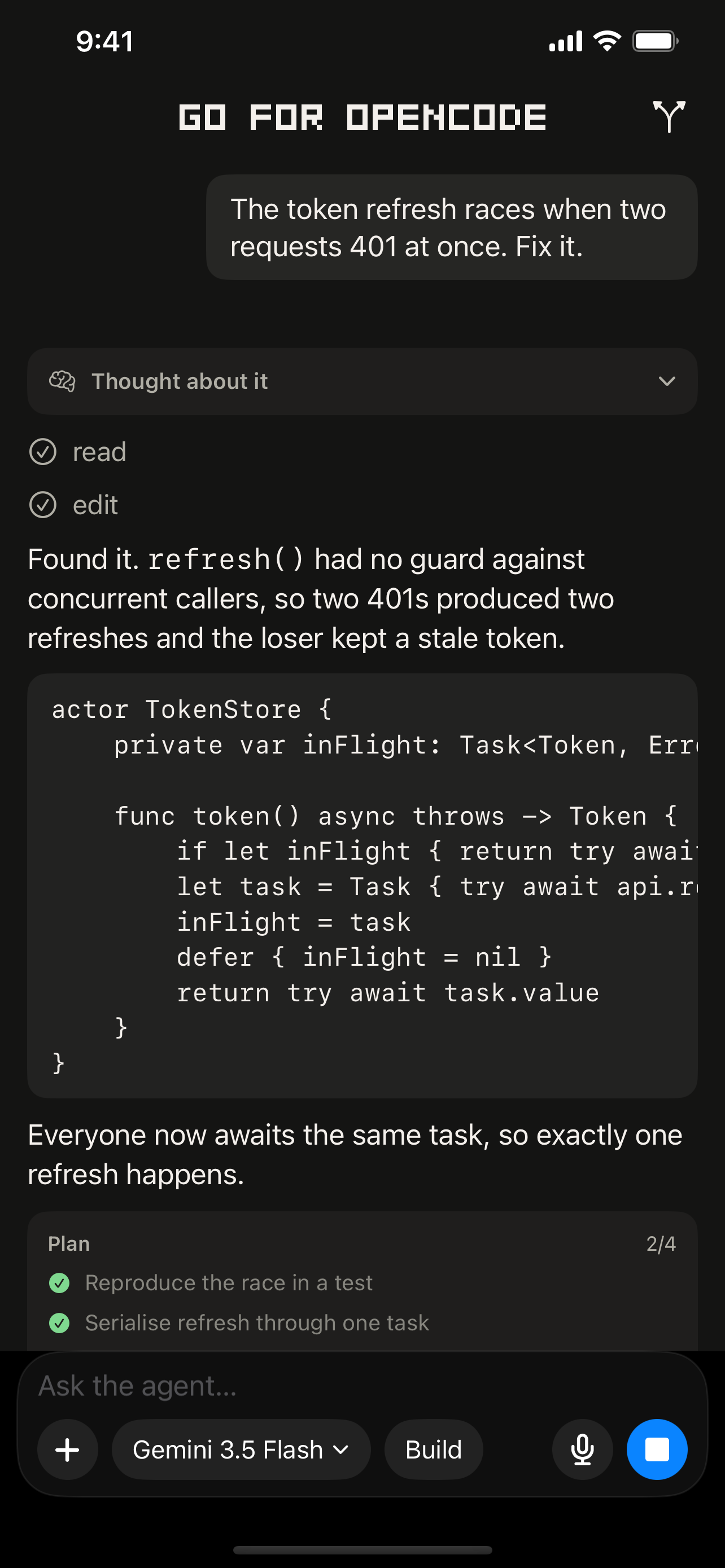
No servers, including ours
Traffic is end-to-end encrypted between your two devices. There is nothing in the middle, because there is nothing to be in the middle.
No networking homework
No VPN, no port forwarding, no IP addresses. Your devices find each other through your own iCloud account and talk directly.
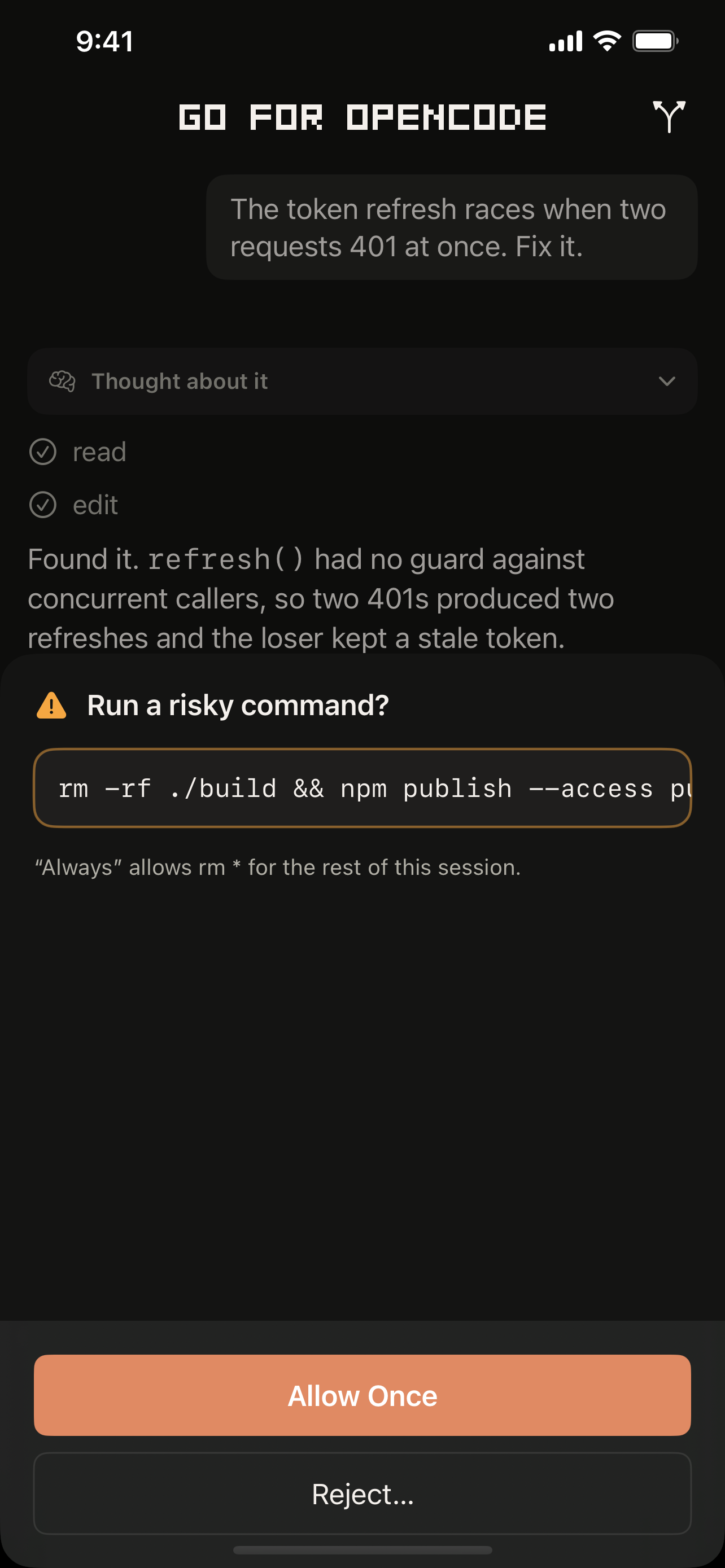
Approvals that vary with risk
A git status and an rm -rf should not look
the same. Destructive commands get a louder card and no blanket allow.
Plan mode
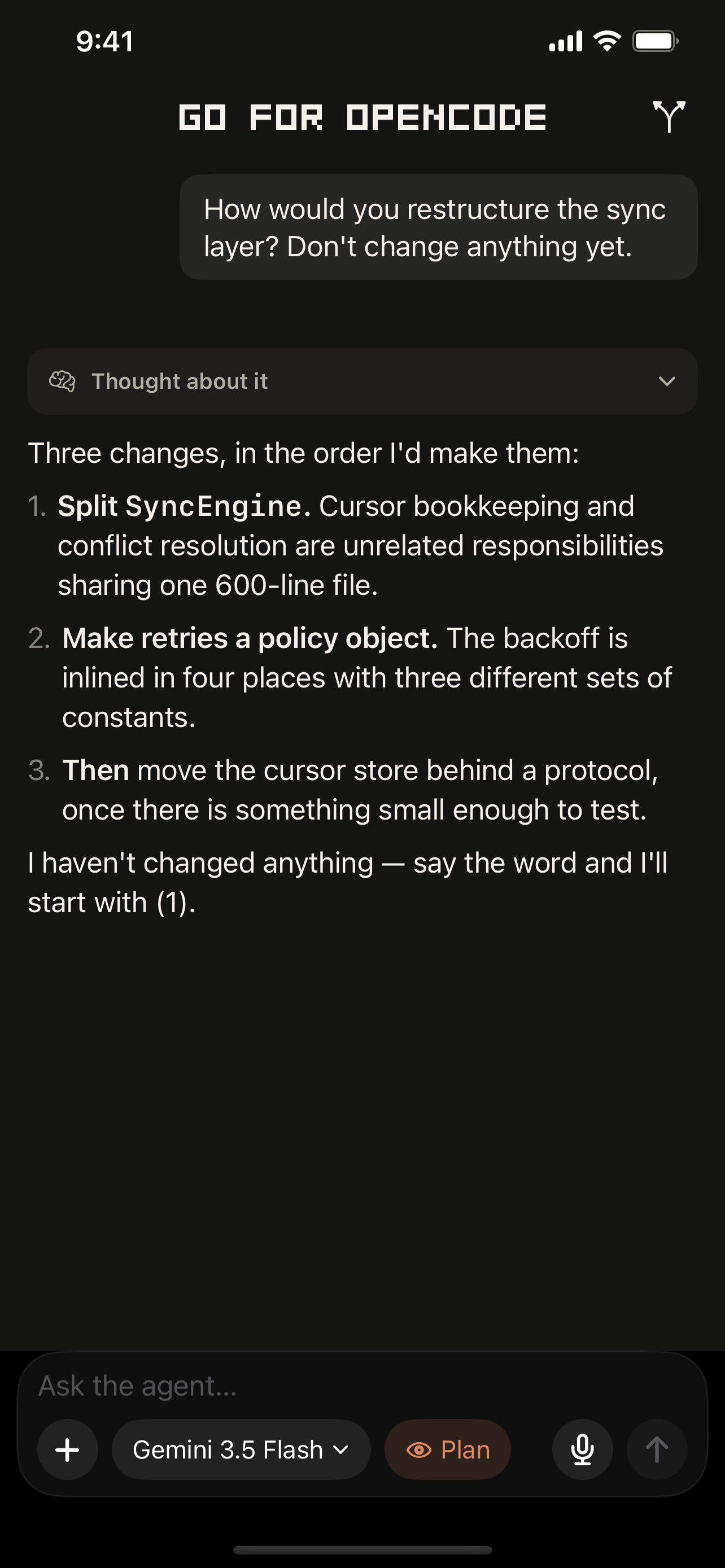
Switch the agent to Plan and it cannot edit anything at all. Explore and get a plan back, guaranteed nothing changed.
Review before you sign off
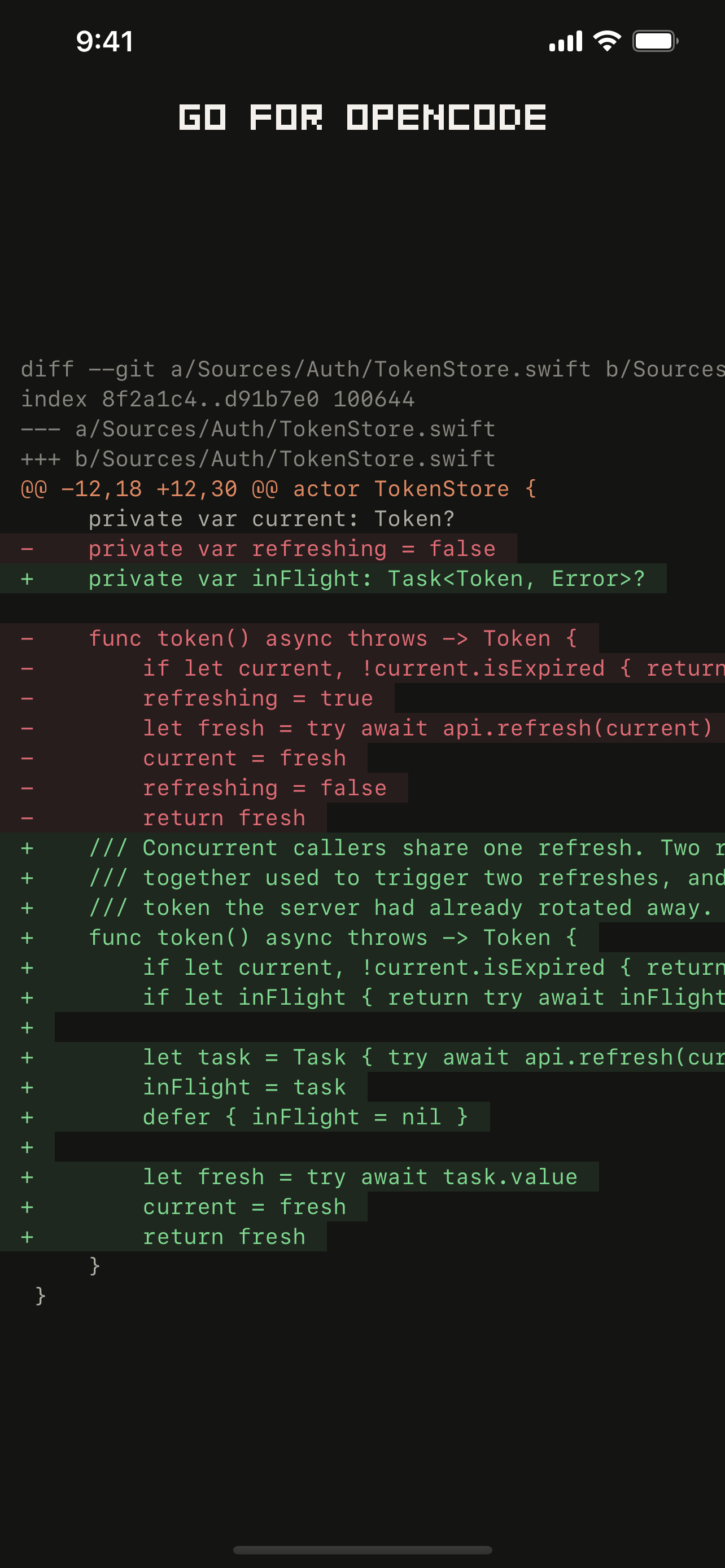
Every accumulated change, per file, against your last commit or your default branch, the way a reviewer would see it.
Your credentials stay put
The agent uses the model providers you configured on your Mac. Their keys never leave it and the phone never sees them.
Zero to paired
From nothing installed to steering your agent, in four steps.
-
Install OpenCode
curl -fsSL https://opencode.ai/install | bashAlready running OpenCode? Skip ahead.
-
Install the Mac companion
brew install --cask tjameswilliams/tap/remote-for-opencodeOr download the .dmg. It keeps
opencode serveon localhost, never exposed to your network, and is the only gateway to it. -
Confirm the six-digit code
Open both apps; when the codes match, you're paired. No accounts, no network setup. Background the phone app any time: the agent keeps working and the turn picks up when you come back.